


Pocket Piano
4.4195.00 Reviews
App Specs
- Version
- 0.6.22
- Updated On
- License
- Free
- Downloads
- 10,000,000+
- Developer
- SYNTHJOY GAMES
- Categories
- Music
- Platform
- Android
Screenshots
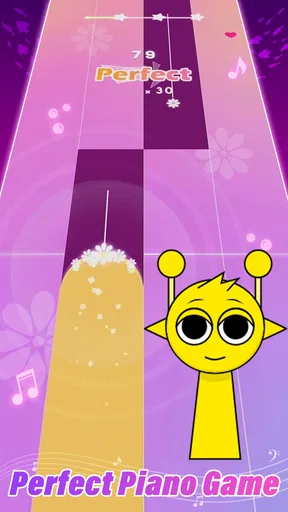
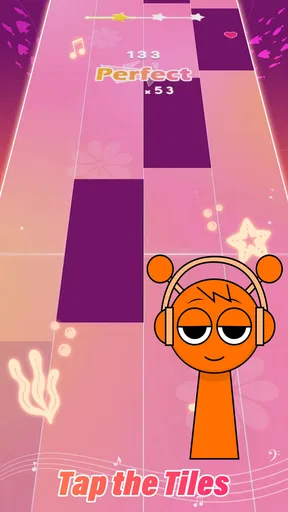
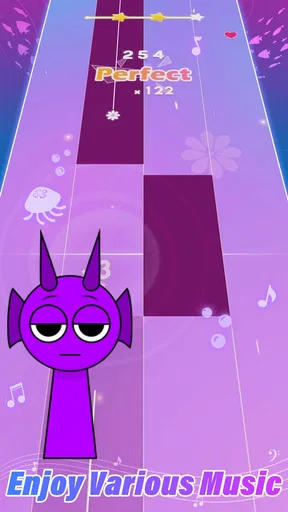

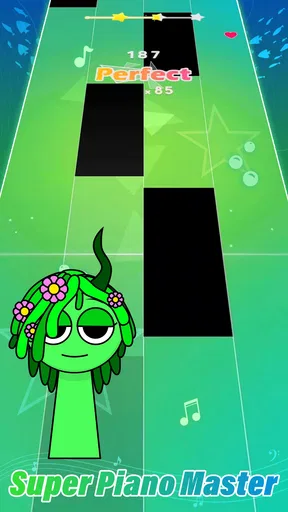
 Analysis by AppCompare
So, you've always wanted to tickle the ivories but don't have a grand piano lying around? Well, let me introduce you to Pocket Piano. It's like having a piano in your pocket, quite literally! I recently gave it a whirl, and here's what I discovered.
First-Week Appeal: A Quick Way to Make Music
The first draw is how little commitment the idea seems to ask of you: open a music game, tap along, and get a small burst of play without arranging a practice session. That makes it an easy fit for a short break, a commute when you can safely use your phone, or a quiet moment at home. The appeal is less about replacing an instrument and more about making rhythm play immediately accessible.
For a realistic everyday use, I can imagine picking it up while waiting for a friend, playing a round or two, then putting it away without needing a stand, sheet music, or a full practice setup. That convenience is also the right way to judge it: if you want a light musical diversion, the format makes sense; if you want to learn piano technique, tapping a phone screen is not the same as building control on physical keys.
Getting Started with Pocket Piano
Downloading Pocket Piano was a breeze. It's available for both Android and iOS, so no worries about compatibility there. Once installed, the app opens up with a clean and intuitive interface. You're greeted with a virtual keyboard that looks surprisingly realistic. I was impressed by how easy it was to get started. You don’t need to be a tech wizard to figure this one out.
Features That Hit the Right Note
First off, let's talk about the sound quality. The app uses high-quality samples from real pianos, so it doesn’t just sound like a toy. Whether you’re tapping out a simple tune or going full Beethoven, the sound is crisp and clear. The app also includes a variety of instruments, like organs and synthesizers, so you can mix up your musical repertoire.
One of my favorite features is the recording option. You can record your sessions and play them back to see where you can improve. And if you're a beginner, the app offers tutorials and sheet music to help you learn. It's like having a personal piano teacher right there with you.
How It Fits Into a Regular Routine
The recording option is most useful when I give myself a narrow goal rather than treating every session as open-ended play. I might try to keep a short phrase steady, record it, and listen for where my timing slips. That turns a casual session into a small experiment: change one thing, play again, and compare. It is a more practical use of playback than simply saving a performance and never returning to it.
Worth Reading Before You Choose

Flipboard Shows What News Apps Must Do Beyond the Feed

Switching to Android Auto Means Rethinking Your Driving Routine

Google Calendar Makes a Crowded Week Easier to Manage

Ludo King Makes the Most of the Minutes Between Plans

Baby Panda World Brings Quick Play to Modern Phones, but Its Game Library Feels Busy

ESPN’s Live Game View Makes Following Close Games Easier
Tutorials and sheet music can also give a newcomer a starting point, but I would treat them as guidance for using the game, not as a substitute for a structured music course. Anyone hoping to build hand posture, finger strength, or accurate piano fingering will need a real keyboard and instruction that addresses those skills. Pocket play can help keep musical interest alive between lessons, but it cannot provide the physical feedback of full-size keys.
Practice Makes Perfect
For those who are new to the piano, Pocket Piano offers a step-by-step learning process. You can start with simple songs and gradually move to more complex pieces. The app tracks your progress, which is a nice touch for those who love to see how they're improving over time. It’s a bit like having a piano coach who’s available 24/7!
Another nifty feature is the customizable keyboard. You can adjust the number of keys and even the size of each key, making it adaptable for both small and large screens. This flexibility makes it easier to practice without feeling cramped, especially if you’re on a smartphone.
Month-to-Month Value and Practical Trade-Offs
That keyboard adjustment matters more than it first sounds. On a smaller phone, reducing the visible range or changing key size can make taps feel more deliberate; on a larger screen, a broader layout may be easier to explore. I would try a couple of layouts early, then keep the one that lets my fingers land reliably. Constantly changing the arrangement can make it harder to build a familiar touch pattern.
Progress tracking can encourage a return, but it is worth deciding what “improvement” means for you. A record of activity is motivating only if it connects to a goal, such as keeping a rhythm more consistently or working through a tutorial. For someone who simply wants a quick music-themed game, tracking may be a pleasant extra rather than a reason to keep playing month after month.
Compared with rhythm games built around a busy stream of notes and quick reactions, this piano-centered approach may feel more musical and less like a reflex test. Compared with a dedicated piano-learning app, it is a lighter option, not necessarily a deeper curriculum. If your priority is structured lessons and transferable keyboard technique, choose a learning tool paired with a real instrument. If your priority is a pocket-sized way to engage with music, this game has a clearer case.
Maintenance, Fatigue, and Who Should Skip It
There is little upkeep involved beyond keeping the game available on a compatible device and returning when the mood strikes. Its current version is 0.6.8, and it is designed for devices running Android 7.0 or later. Since it is free to download, trying it does not require an upfront purchase, though in-app purchases range from $0.99 to $29.99 per item. I would avoid buying anything simply because a new game feels exciting; first see whether the free experience fits the way you actually play.
The main fatigue risk is repetition. Tapping the same sort of patterns can lose its charm once the novelty wears off, especially if you are looking for a long session or a serious challenge. Screen size is another practical limit: even with keyboard adjustments, phone controls cannot offer the feel or spacing of piano keys. Playing with sound on may also be inconvenient in shared spaces, so headphones can make a short session more considerate, while still keeping volume comfortable.
This is best suited to casual players, music fans, and beginners who want an approachable way to spend spare minutes. I would steer away from it if you need a full piano simulator, advanced composition tools, or a dependable replacement for lessons and a physical keyboard. The Teen content rating is also worth checking for younger players in your household before handing over a device.
Overall Experience
All in all, Pocket Piano is a hit in my book. It’s a great tool for anyone looking to learn or practice piano on the go. It’s user-friendly, packed with features, and most importantly, fun! Whether you're a seasoned pianist or a complete newbie, there's something here for everyone.
In conclusion, if you're looking for a portable piano experience, this app should be on your download list. It's like carrying a concert hall in your pocket, ready to serenade you whenever the mood strikes. So, go ahead, download it today and start making some music magic!
Long-Term Verdict
For lasting value, I would think of it as a small music habit rather than a complete piano destination. A quick session can be rewarding when it has a purpose—revisiting a tutorial, checking a recording, or simply enjoying a few minutes of tapping. If those moments keep feeling fresh, the low-friction format earns its place. If you find yourself opening it only out of routine and not enjoying the play, there is no need to force a streak; a different rhythm game, a music lesson app, or time at a real keyboard may suit you better.
SYNTHJOY GAMES has made a free music game with an easy entry point, and its 4.5 average rating from around 11,000 ratings and more than 10 million installs suggest that many players have found a reason to try it. Those figures are useful context, not a promise that every player will stick with it. I’d recommend giving it a few short sessions and judging it by whether it adds an enjoyable, repeatable musical break to your day. For me, that is the difference between a novelty that fades and a pocket game worth keeping.
Pros
- User-friendly interface for quick learning.
- High-quality sound samples enhance experience.
- Wide range of songs and tutorials available.
- Offline mode lets you play without internet.
- Customizable settings for a personalized touch.
Cons
- In-app purchases can be costly.
- Limited free content available.
- Ads can interrupt gameplay.
- Requires significant storage space.
- No support for MIDI devices.
FAQs for Pocket Piano
What features does Pocket Piano offer for beginners?
Pocket Piano is designed to cater to beginners with its user-friendly interface and step-by-step tutorials. It includes a variety of learning modes, such as guided lessons and interactive exercises, to help users grasp the basics of piano playing. The app also offers visual aids, like highlighted keys, to assist in learning.
Is Pocket Piano suitable for advanced players?
Yes, Pocket Piano offers features tailored for advanced players, including customizable practice sessions and a library of complex compositions. The app also provides advanced techniques and sheet music, allowing experienced pianists to refine their skills and tackle challenging pieces, making it versatile for all skill levels.
Does Pocket Piano require an internet connection?
Pocket Piano can be used offline for most features, including playing and practicing with pre-downloaded lessons and songs. However, an internet connection is needed for downloading new content, accessing updates, and participating in online community challenges, ensuring you can enjoy the app anywhere.
What devices are compatible with Pocket Piano?
Pocket Piano is compatible with both Android and iOS devices, supporting a wide range of smartphones and tablets. The app is optimized for different screen sizes, ensuring a smooth and engaging experience. Always check your device's operating system requirements to ensure compatibility before downloading.
Are there in-app purchases in Pocket Piano?
Yes, Pocket Piano includes in-app purchases that unlock additional features, such as premium lessons, exclusive content, and ad-free experiences. While the basic features are free, purchasing these extras can enhance your learning journey, offering more in-depth resources and personalized practice options.


